

Hot Desk & Workspace Booking Software for Hybrid Offices
1OfficeView’s hot desk booking software gives hybrid teams the flexibility to book desk, find colleagues on a live floor map, and check in via QR or HRMS — all from a mobile app. Reduce real estate costs by up to 38% by optimising desk utilisation across all your office locations.
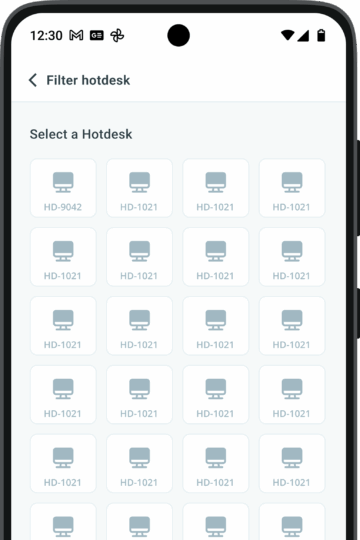
Key features of our hot desk booking software
1OfficeView is your go-to solution for seamless workspace management. Designed with flexibility and efficiency in mind, our platform helps businesses optimize their office spaces and enhance productivity.
Hot Desk Booking
Increase efficiency by letting employees choose their own work desk as per their preference.
Existing Availability
Track the availability of desks on real-time and keep employees updated with the booked and unbooked desks.
Request Workplace
Submit requests for workspace, swaps, or relocations based on business needs through the mobile application. A designated office infrastructure is just few clicks away.
Smart Allocator
An advanced intelligent system that prescribes appropriate workspaces based on various factors and filters of the requester.
Access Control
A designated admin holds the approving authority, who can review all booking requests and their purposes on the app. They can approve or decline the requests based on the availability.
Allocation Rules
Customize allocation rules according to the organization’s structure and operations. Make sure they align with the pre-established norms.
Web Monitoring Dashboard
Admins use a control interface displaying all available workspaces and their occupants, providing a clear view of the entire office on one screen.
Floorplan View
The floor print of the entire location is displayed and viewed that eases the process of management or coordination.
Workspace Analyst
Generate reports and data for selected periods to evaluate workspace vacancy and occupancy, along with other metrics.
How hot desk booking works in 1OfficeView
1OfficeView is fully customizable, right out of the box.
You can add modules to suit business requirements and implement changes driven by user feedback. You get limitless business functionality and space optimization at your fingertips, thanks to the 1OfficeView Moible App.
Step 1 — Open the floor plan
Employees open the 1OfficeView app and see a live floor plan of available desks across every floor. Green desks are free, red are booked. Use “Find My Colleague” to locate teammates and choose a nearby seat.
Step 2 — Book your desk
Select a desk, choose your date and time, and confirm in one tap. Need a specific section, window seat, or near a specific team? Use filters and the Smart Allocator to get the right workspace every time.
Step 3 — Check in on arrival
Arrive at your booked desk and scan the QR code to check in. The system updates in real time — your desk is confirmed, your HRMS attendance is logged, and the admin dashboard reflects live occupancy instantly.
Why Indian enterprises use 1OfficeView for hybrid workspace management
1OfficeView is an integrated software solution that amalgamates Meeting Room Workspace, Visitor, Cafeteria, Parking & Housekeeping Management.
- Cut real estate costs by up to 38%
live occupancy data shows which desks are consistently underused so you can downsize or reassign space intelligently.
- Built for hybrid work
employees who come in 2–3 days a week can book desks in advance so they always have a guaranteed workspace on office days.
- Prevents Scheduling Clashes
With a well-coordinated and managed system, eliminate double bookings and prevent booking conflicts.
- Multi-location support
manage desk inventory across all your offices from a single admin dashboard.
- ISO 27001 certified
enterprise-grade security for all desk booking and occupancy data.
What is 1OfficeView Workspace Management?
1OfficeView Workspace Management allows employees to manage both fixed seats and hot desks. Fixed seats can be requested and allocated, while hot desks can be booked via mobile or web app for flexible seating.
How do employees check in at their desk?
Employees can check in using HRMS integration or QR code scanning. Hot desk bookings are automatically tracked, and fixed seat allocations are updated in real time to ensure accurate attendance and desk usage.
Can I book a seat next to a colleague?
Yes. Using the “Find My Colleague” feature, employees can see where colleagues are seated and book a nearby seat. The floor plan shows availability with green for available seats and red for booked, providing full visibility of workspace occupancy.
What reporting features are available?
Admins can access detailed reports with seat location, floor, section, department, and occupancy details. This helps track desk utilization, employee seating patterns, and workspace optimization.